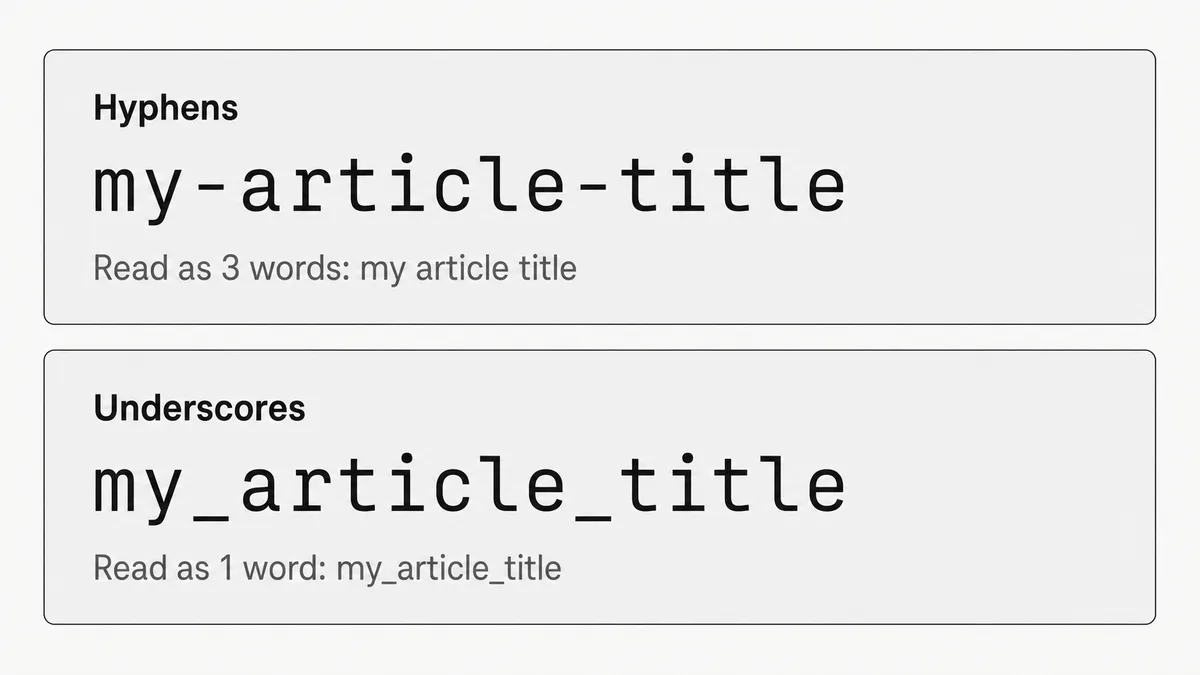
Use hyphens. That's the answer. If you're setting up a new site, new blog, or new CMS today and need to make a decision right now, use hyphens.
But "use hyphens because Google said so in 2011" isn't the full picture. There are legitimate cases for underscores, a handful of platforms that generate them whether you want them or not, and a real explanation for why most developers end up with underscores in the first place that goes beyond "they didn't read the docs."
The short answer
Hyphens (-) are Google's recommended word separator in URL paths. Google treats them as spaces, so /my-article-title is read as three separate words. Underscores (_) are treated as joiners, so /my_article_title is read as one token. For new URLs, always use hyphens. For existing underscore URLs that rank well, leave them alone.
Why this distinction exists
The technical reason is tokenization. When Google crawls a URL path, its parser splits on hyphens to extract individual words for indexing. Underscores don't trigger that split; they're treated as part of the word, the same way they are in programming identifiers.
Google's Gary Illyes confirmed this directly in 2022: "we can't easily segment at underscore and that's why we are recommending dashes." That's about as clear as these things get.
The historical reference point is Matt Cutts' 2011 video, where he made the same recommendation. Worth knowing, but worth noting it's 15 years old. Search has changed substantially since then. The principle hasn't.
There's also a readability angle that doesn't show up in crawl logs. I've used hyphens in URLs for years (across myconvertcase.com and every project before it) as both best practice and personal preference. The difference I notice most isn't in Search Console data. It's CTR and how users scan a link before deciding to click. A hyphenated URL reads like words at a glance. my-article-title takes no effort to parse. my_article_title is readable, but it requires a beat more. At scale, across thousands of SERP impressions, that friction compounds.
The "carnation" problem
The classic illustration: example.com/car_nation. Google reads that as one word: "carnation." The page is about cars, not flowers. The hyphenated version, example.com/car-nation, gives Google two distinct tokens: "car" and "nation."
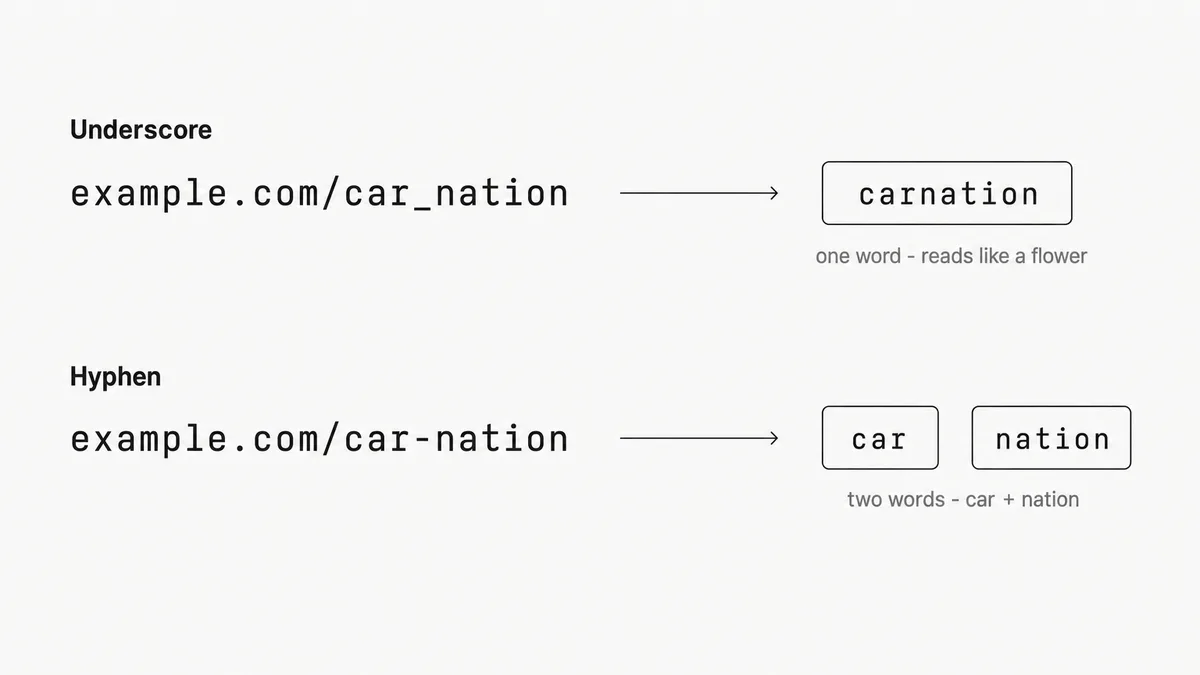
Contrived? Yes. But the same logic applies to any multi-word phrase where the individual keywords matter for query matching.
Hyphens in URLs = kebab-case
If you're a developer, you already know this convention by name; you may just not have connected it to the URL question explicitly.
Hyphens in URL paths are kebab-case. my-article-title is kebab-case. The same naming convention used for CSS class names, HTML attribute values, and URL slugs.
The confusion for most developers comes from muscle memory. Python uses snake_case for variables and function names. If you spend your day writing Python (or SQL, where column_names are underscored), underscores feel natural when you're naming anything. Including a URL slug. It's the same with file naming: if your OS defaults to my_document.pdf when you save something, that pattern bleeds into URL thinking. It's not ignorance of best practice. It's habit from the environment you're in.
Quick reference for where each convention actually belongs:
| Convention | Format | Where it's used |
|---|---|---|
| kebab-case | my-page-title | URL slugs, CSS classes, HTML attributes |
| snake_case | my_variable_name | Python, Ruby, SQL, file names |
| camelCase | myVariableName | JavaScript variables, JSON keys |
| PascalCase | MyComponent | React components, C# classes, TypeScript types |
URLs are the one place where kebab-case is the unambiguous standard. Everywhere else, it depends on the language. (The broader naming convention question, particularly where snake_case and camelCase overlap, is covered in detail in snake_case vs camelCase: When to Use Each.)
Want to convert a page title to a clean URL slug? The kebab-case converter handles it: paste the title, select kebab-case, done.
When underscores are actually fine
The hyphens rule applies to URL paths. The rest of the URL is a different story.
Query string parameters: Underscores are standard here. ?utm_source=newsletter&utm_medium=email is what Google Analytics, GA4, and every UTM builder generates by default. Don't change it. The parser doesn't tokenize query strings the same way it handles the path.
Filenames in non-web contexts: Database column names, API field names, internal tooling. None of this touches your URLs, so none of it is affected by this rule.
Legacy URLs that already rank: This is the one that matters most in practice. If you have underscore URLs sitting in positions 3–8 for competitive queries, switching them is a migration risk, not a free upgrade. You'd need 301 redirects for every changed URL, updated internal links, an updated sitemap, and then a 3–6 month wait while Google recrawls and re-attributes rankings. The SEO gain from the switch is marginal for established pages. The disruption risk is real.
The migration decision: 3 questions
Before changing any live URL from underscores to hyphens:
- Is this page ranking in the top 20 for anything? Check Search Console. If yes, don't touch it without a complete redirect plan in place.
- Is this a new page or a site rebuild? Use hyphens from day one. No migration needed.
- Is this a full-site overhaul? Plan 301s for every URL, update canonicals, submit an updated sitemap, and monitor ranking movement weekly for 90 days post-migration.
Framework and CMS defaults: what to check
This is where most developers actually encounter the problem. You don't choose underscores deliberately. Your framework generates them.
| Platform | Default slug format | What to do |
|---|---|---|
| WordPress | Hyphens | Nothing; the default is correct |
| Webflow | Hyphens | Nothing; the default is correct |
| Shopify | Hyphens | Nothing; the default is correct |
| Ghost | Hyphens | Nothing; the default is correct |
| Django | Underscores in model/field names | Override: slugify() produces hyphens by default, so use it |
| Rails | Underscores by convention | Use parameterize; it converts to hyphens |
| Next.js | No auto-slug; you set it | Use .replace(/\s+/g, '-').toLowerCase() or a slug library |
| Contentful | Configurable | Check your content model's slug field settings |
Django catches Python developers off guard most often. The ORM uses snake_case everywhere (models, fields, migrations), so it's natural to carry that into URL slug fields. But SlugField with slugify() converts spaces to hyphens by default, which is correct. The trap is manually setting slugs from field names without running them through the slugifier first.
Next.js is the other common one. There's no built-in slug generator, so developers roll their own, and a quick title.replace(/ /g, '_') is the kind of thing that ships quietly and persists for years.
Image filenames: same rule, usually forgotten
The same tokenization logic applies to image filenames. product-photo-blue-shirt.jpg gives Google four indexable tokens. product_photo_blue_shirt.jpg gives it one.
For pages where image filenames and alt text should reinforce the same keywords, the hyphen convention matters. It's a cheap signal, and cheap signals compound across a large image library.
The practical approach: enforce hyphens on new image uploads going forward. Don't run a batch rename on images that are already indexed; that's a reliable way to generate hundreds of soft 404s. Set the standard for new assets and leave the old ones alone.
Alt text still does the heavier lifting for image SEO. Filename hygiene is the supporting actor, not the lead.
A practical checklist for new projects
Setting up a new site, CMS, or blog? Run through this before launch:
- Set slug generation to hyphens. Check the platform default in the table above
- Verify your slug library's output.
slugify,parameterize, and similar functions almost always produce hyphens, but confirm once - Lowercase only.
/My-Page-Titleand/my-page-titleare different URLs; standardize to lowercase - Remove stop words.
/how-to-convert-text-casebecomes/convert-text-case; shorter is cleaner - Apply the same convention to image filenames: hyphens, lowercase, descriptive
- Leave query strings alone.
?utm_source=and?filter_by=are fine with underscores
FAQ
Does this still matter in 2026?
For new pages, yes: it's a baseline that affects how accurately Google can extract keywords from the URL. For established pages that already rank, the practical impact is marginal. It's not a ranking multiplier; it's the kind of thing that helps at the edges of competitive queries.
Do underscores affect my ability to rank?
Directly, only a little. The larger effect is indirect: if Google reads your URL as one long token instead of individual keywords, those keywords carry less weight as a URL-field ranking signal. On a close-race keyword, that's a disadvantage you don't need.
Can I use hyphens in my domain name?
Technically yes. In practice, don't. Hyphens in domains reduce memorability, get associated with spam-adjacent sites, and create brandability problems. The path rule doesn't extend to the domain.
What about spaces? Why not just %20?
%20 encoding is technically valid. It's also ugly, fragile in copy-paste, and breaks in some link-shortening and analytics contexts. Hyphens are the cleaner alternative.
URL slugs are one of those decisions that feel minor until you're planning a migration for a site with 3,000 indexed pages. Set the convention correctly at the start and you never have to revisit it.
Need to generate a hyphenated slug from a page title? Paste it into the free text case converter and select kebab-case.